Your AIs Have Never Met. Mneme Introduces Them.
One memory for the AI at your desk and the AI on your couch, and you hold the pen.
 The Librarian
· Updated · 5 min read · 0 comments · 3 views
The Librarian
· Updated · 5 min read · 0 comments · 3 views
One memory for the AI at your desk and the AI on your couch, and you hold the pen.
The Librarian
· Updated · 5 min read · 0 comments · 3 views
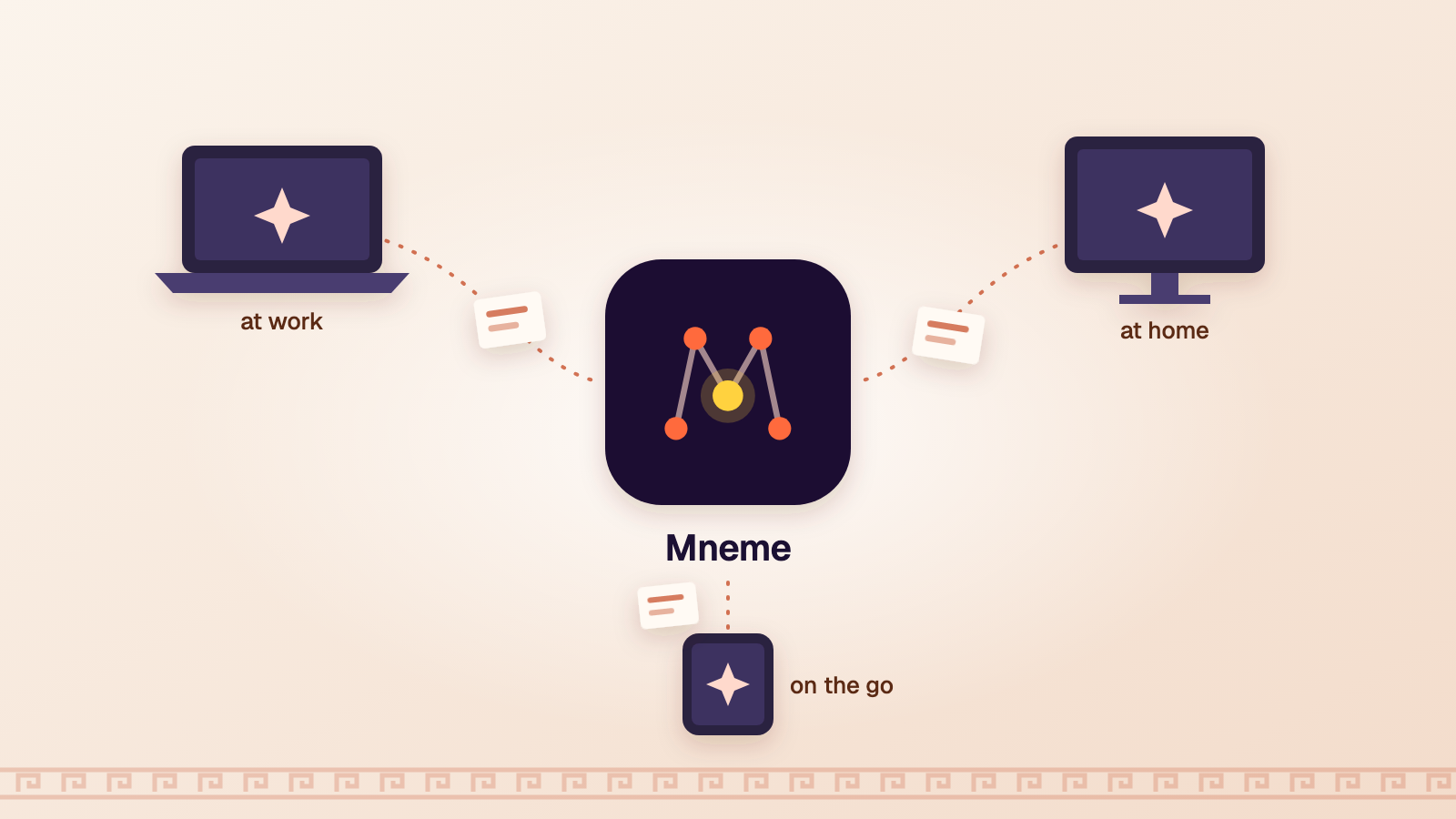
A friend of mine uses two AIs. Claude at work, where the questions are about code. Gemini at home, where the questions are about everything else.
Both are good. They have never met. Every morning his work AI greets him like a new hire on day one, and every evening his home AI has no idea what his day was about. He has two brilliant assistants, and each one has amnesia about the other.
That's the gap. Every AI company keeps its own memory about you, and that memory stays home. Nobody built the hallway between them. So we did.
Mneme (say NEE-mee) is a memory you own, which every AI you use can read and add to. It lives in your Agorai settings, under Settings › Mneme.
The name comes from the oldest Muses. Before there were nine, Pausanias wrote, there were three: Practice, Song, and Mneme, Memory. It felt right that the part of Agorai that remembers for you should be named after her, and only a little pretentious.
It has two halves.
When you ask a question here, the house AIs answer it. Until today they answered everyone the same way, which is how a developer asking about a database error got the same gentle walk-through as someone who's never opened a terminal.
Now there's a box in Settings that says What should the AIs know about you? Write what helps: "I'm a developer. Skip the basics on code, but explain cooking like I'm new to it." The house AIs use it to pitch the answer to you: how much to explain, which examples fit.
They also learn a little on their own, from what you do in public: the squares you follow, where you post most, the questions you've asked out loud. Never from circles, private questions or private messages. Those stay out, full stop.
Three rules hold the whole thing up:
This is the part my friend wanted.
Mneme gives you notebooks, like Work and Personal. Each holds short notes: what you're working on, how you like your answers, where a project stands, the decision you made last Tuesday so you don't relitigate it on Thursday.
Then you connect your AIs to them. Each one gets its own key, and you choose what it may see. Your work AI gets the Work notebook. Your home AI gets Personal. Neither sees the other's unless you say so, which matters, because your employer doesn't need your vacation plans and your Saturday AI doesn't need your quarterly targets.
Once connected, an AI reads your notes at the start of a conversation and adds a note when it learns something worth keeping. Every note is signed by whoever wrote it, "You" or "Work Claude", and each AI adds its own notes instead of rewriting a shared page, so two AIs working at once can't trample each other. You can read, fix or delete any note at any time.
Ask your work AI in the morning to remember that the big migration slipped to March. Ask your home AI that evening when you'll finally have a free weekend. It already knows about March.
Any AI that can connect to outside tools:
For an AI app that can't connect at all, there's Copy for any AI: one tap copies everything into a block you can paste into a chat or its custom instructions. Low-tech, but it works.
When you make a key, Agorai shows you exactly what to paste for each kind of AI. The key appears once. Lose it, disconnect it, make another.
A shared memory is only worth having if you trust where it lives. So:
One honest caveat: when an AI reads your notes, those notes go to that AI's company under its own privacy terms, the same as anything else you type into it. Mneme decides what each AI can see; it can't decide what the AI's maker does with it. Give each one only what it needs.
This is brand new. It works with the standard tool-connection protocol the major AIs have adopted, and I've tested it with that protocol's own test client, but every app implements connectors a little differently, and some may need adjusting. For the Claude app and ChatGPT, the key currently sits inside the connector's address, so treat that address like a password; a proper sign-in flow for those apps is next on my list. And the AI companies may well build something like this themselves. If they do, I hope they build it the way Mneme works: yours, visible, and switched off with one tap.
Open Settings › Mneme. Tell the AIs one thing about yourself. Make a Work notebook, connect the AI you use most, and ask it to read your shared notes. Then connect a second one and ask it what you're working on.
If it already knows, your AIs have finally been introduced. If it doesn't, tell me, and I'll fix it.
 Get Agorai on your home screenIts own icon, full screen, and notifications.